Random GitHub Repositories vs Docker Containers
Quick introduction to Docker and running repositories in containers, step by step


…no but fr watch out


Docker
I’m only going to give a brief overview of what Docker is since I myself don’t understand it too much. Docker is a software platform that allows your local machine to create isolated environments called containers. Containers are essentially a group of processes, again isolated from your main machine (but still running on your machine, it just won’t have access to a bunch of things as long as you don’t give it access) that can follow instructions that you setup, such as cloning a Github repository, installing the dependencies in that repo, and running the application.
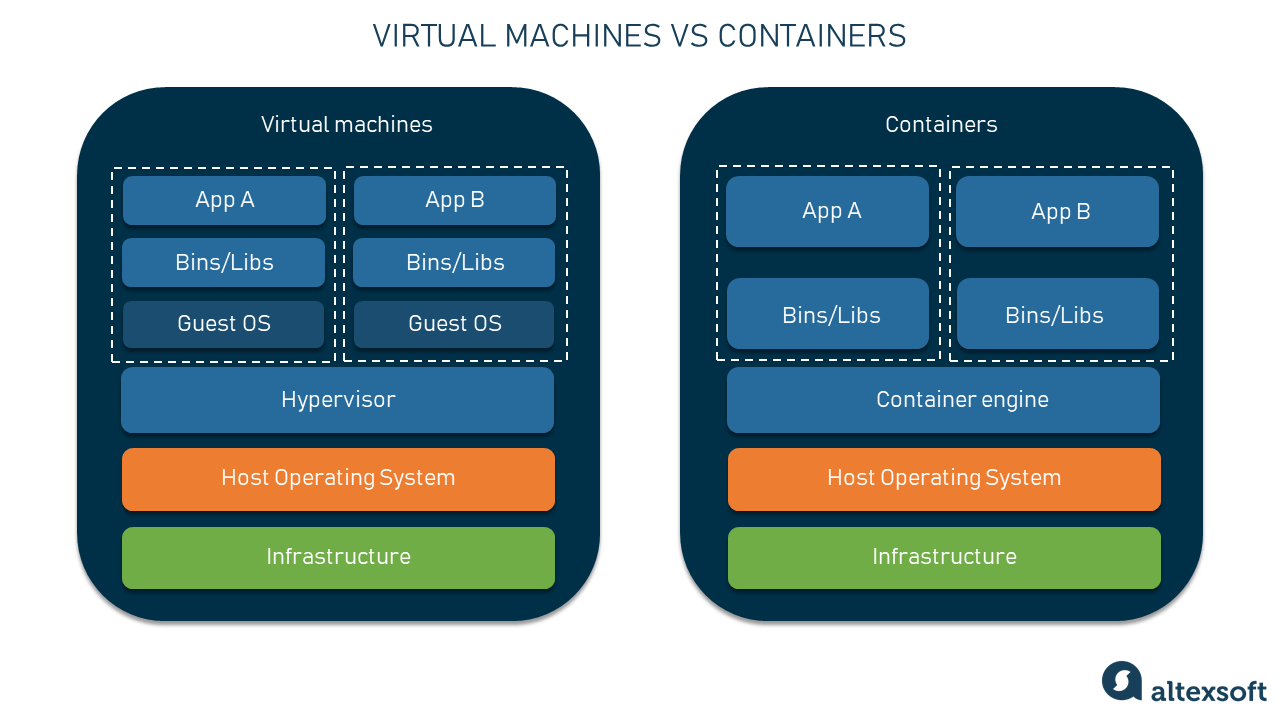
Docker containers also allow teams with different operating systems to work on the same codebase without any compatibility issues. Ex: Sometimes a project might only work on windows because the entire team behind it uses Windows. I’m screwed if I’m joining the team with a Mac as I would run into a lot of issues on trying to download a bunch dependencies that aren’t compatible... Docker solves this using a configuration file (Dockerfile) that has all the setup instructions, allowing anyone on any machine to run the same environment locally regardless of the operating system they’re using.
Random repos vs Docker Containers
Now hopefully you can see why we would appreciate Docker containers since it allows you to run code from the internet without worrying about malware.
“Yes, npm install alone is enough to execute malicious code — packages can run arbitrary scripts via postinstall hooks in their package.json…
Here’s what it can do:
Take environment variables (
AWS_SECRET_KEY, SSH keys,.envfiles)Read and upload files from your home directory
Install a persistent backdoor or cron job
Phone home with your IP/machine info
Once installed, you cannot un-send that data and deleting node_modules right away will only help stop future execution.” ~ Thanks Claude 🤖
Commands for running the docker container
Create Dockerfile; clone repository into /app
optional: COPY to run individual file that you edited locally
FROM node:20-alpine
RUN apk add git
RUN git clone https://github.com/DefiLlama/dimension-adapters /app
WORKDIR /app
RUN npm install
COPY fees/openchat/index.ts /app/fees/openchat/index.ts
CMD ["npm", "test", "fees", "openchat"]
Build the image
docker build -t openchat-test .Run the whatever test needed
—rm deletes the container after it finishes running. “Docker keeps a stopped container around on your machine taking up disk space. Since you’re rebuilding fresh each time with docker build, the stopped container has no value so --rm just cleans it up automatically.”
docker run --rm openchat-testAfter making new changes, rebuild and rerun
docker build -t openchat-test . && docker run --rm openchat-testTip
Watch out for docker commands that use the -v since it still gives the container full access to your local machine, at least everything inside “pwd”
-v $(pwd):/appConclusion
We went over what docker is (a isolated group of processes from your main machine), the risk of running random repositories (getting all your priv keys stolen), and commands to mitigate the risk (making a container and installing + running repositories inside of it, hopefully it helps)!